









Key Takeaways
- Domain changes, hosting moves, CMS switches, and URL restructuring each carry different SEO risks, so identifying exactly what is changing is the first step toward protecting rankings.
- Every valuable old URL needs a clear destination and a 301 redirect; unmapped pages risk deindexing, broken backlinks & lost organic equity.
- The destination page must also retain relevant content, accurate metadata & consistent internal linking, since search engines evaluate the full page, not just the redirect.
- For adult websites with large video & image libraries, validate thumbnails, structured data, and content relationships separately from HTML pages to catch issues that don’t show up in a basic crawl.
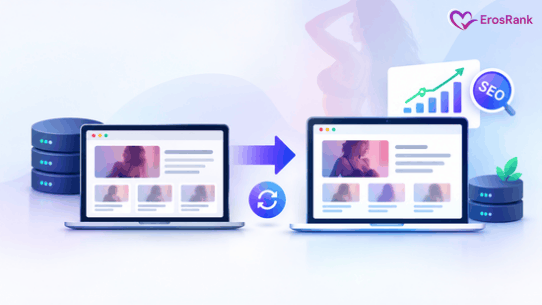
Website migration has long been perceived as a risk to SEO rankings, organic traffic, and overall brand visibility, particularly when moving to a new domain. While these concerns are understandable, a strategic approach can significantly minimize potential losses.
At ErosRank, we leverage proven SEO strategies for adult website migration, along with meticulous planning and technical expertise to help adult websites transition to new domains while preserving search visibility & long-term business value.
This post explains how to migrate an adult website without losing SEO rankings, covering every stage from initial planning to long-term performance optimization. Stay tuned to explore the best strategies!
Understand the Different Types of Adult Website Migrations
Before planning a migration, identify what is changing: your domain, URLs, hosting, or content. Each migration type carries different SEO risks, so the right approach helps protect your rankings and traffic.
Domain Migration
A domain migration occurs when a website moves from one domain to another. For instance, an adult website might change its domain due to rebranding, a business acquisition, or a strategic decision to build a more recognizable identity.
Domain changes require careful handling because search engines must discover the new URLs, process the redirects & associate the existing site’s signals with the new domain. The adult website migration SEO planning process considers the following:
- A complete inventory of the old domain’s important URLs
- Updated canonical tags as well as internal links
- New XML sitemaps containing canonical URLs
- Monitoring of organic traffic & indexing across both domains
- Verification of the old and new properties in Google Search Console
- One-to-one redirects from old pages to their corresponding new pages
The old domain should remain operational for redirects for as long as possible, generally at least one year and longer when practical. Google recommends keeping redirects for this period so search engines can process moved URLs along with transfer associated signals.
Hosting and Server Migration
A hosting migration involves transferring a website to a new hosting provider, server environment, or content delivery network (CDN), potentially without changing its public URLs. Although this type of migration may involve fewer URL-related risks, it can still affect SEO if the new infrastructure introduces downtime, server errors, slower responses, or restrictions on search engine crawling.
Adult websites with extensive video libraries and high media-delivery requirements should pay particular attention to server capacity, caching configuration, storage permissions, as well as CDN behavior.
Before changing DNS records, verify that the new environment serves the correct content & returns the expected HTTP status codes. Monitor the website throughout the DNS transition, plus retain the previous infrastructure until the new environment is demonstrably stable.
CMS or Platform Migration
CMS migration refers to a website’s publishing or content-management system from one platform to another. An adult website might transition from a custom-built platform to WordPress or move to a specialized membership along with video-management system.
To protect SEO performance, document the existing technical configuration before migration as well as reproduce the necessary functionality on the new platform. Below are the important factors to consider:
- Category & subcategory URLs
- Video and gallery landing pages
- Performer or creator profiles
- Image and video metadata
- Canonical tags and indexing directives
- Titles, meta descriptions, along with heading structures
- Membership restrictions and publicly accessible content
HTTP-to-HTTPS Migration
Moving from HTTP to HTTPS enhances connection security. A successful migration requires a valid TLS certificate, consistent HTTPS URLs, redirects from HTTP versions, updated canonical tags, along with corrected internal links. Review mixed-content errors and ensure important images, scripts, along with other resources load securely.
Google’s site-migration guidance says to treat HTTPS changes as URL changes, with appropriate redirects and consistent signals across the website.
Website Redesign and URL Structure Migration
A redesign does not necessarily require changes to established URLs. Whenever possible, preserve existing URL structures while improving the visual design, navigation, accessibility, along with performance.
Furthermore, changing the design, CMS, domain, as well as URL hierarchy at the same time makes it much harder to identify the cause of any subsequent ranking decline.
If URL restructuring is necessary, map the existing URLs to their intended destinations before development begins.
International or Multi-Domain Migration
Some adult businesses operate multiple websites for different languages, countries, or audience segments. Consolidating these websites requires additional planning.
Therefore, preserve genuinely useful regional content, maintain appropriate language annotations, as well as avoid combining unrelated pages merely to reduce the number of domains.
If the website uses hreflang, update the annotations so that they reference the correct new URLs and corresponding language or regional versions.

Planning To Migrate Your Adult Website?
Proven Adult Website SEO Strategies to Protect Rankings After Migration
To migrate adult websites with zero ranking impact, the following adult SEO strategies allow website migration without affecting existing rankings:
1. Conduct a Comprehensive Pre-Migration SEO Audit
Before changing the website’s infrastructure, domain, CMS, or URL structure, establish a reliable baseline of its existing SEO performance. This baseline helps distinguish migration-related problems from normal fluctuations in search demand, rankings, along with user behavior.
Benchmark Existing Organic Performance: Collect several months of historical performance data, preferably covering a full year when seasonal patterns or significant variations in content demand are relevant. Use Google Search Console, analytics platforms, rank-tracking software, & server logs to document:
- Organic clicks, impressions, average search position, and click-through rate.
- Organic landing-page sessions and engagement metrics.
- Conversions, registrations, subscriptions & attributable revenue.
- Performance by country, device, directory, and content type.
- Indexed URLs, crawling issues, and existing search visibility.
- Pages receiving valuable backlinks or referral traffic.
Evaluate the URLs along with content categories responsible for the largest share of organic traffic and business value. These pages should receive greater attention during migration planning & quality assurance, along with reviewing strategies to rank dating, escort, and adult websites to support long-term search visibility.
- Build an Inventory of Existing URLs: Crawl the current website to identify its accessible pages along with record their technical attributes, consisting of HTTP status codes, indexability, canonical tags, metadata, heading structures, as well as internal links. For adult websites, the inventory should cover relevant content types such as video landing pages, galleries, categories, creator profiles, editorial resources, along with other indexable media pages.
A standard crawl may not discover every important URL. Supplement it with CMS exports, XML sitemaps, analytics landing-page reports, backlink data, as well as server logs to identify orphaned pages, historical URLs, and resources that are no longer linked through normal navigation.
- Evaluate Existing Content and Authority: Determine which pages contribute meaningful search visibility, relevant backlinks, referral traffic, or conversions. Separately identify duplicate pages, obsolete listings, low-value parameter URLs, along with other resources that may not need to remain indexable. Review your backlink profile and consider strategies to increase domain authority for adult websites to support long-term SEO performance.
Document the website’s current technical configuration such as robots.txt rules, canonical implementation, structured data, pagination, rendering behavior, caching & page performance.
This helps you address major issues before migration begins and supports effective adult website migration SEO practices.
2. Develop a Comprehensive URL Mapping Plan
URL mapping defines how existing URLs will map to their destinations on the new website, a key part of adult website migration services. It is especially important when changing domains, redesigning site architecture, replacing a CMS, or reorganizing a large adult content library.
An incomplete mapping plan can not only leave valuable pages inaccessible, break external backlinks, but also cause search engines to encounter irrelevant redirects or missing resources.
Consolidate URL Discovery Sources: Combine the existing website crawl with CMS exports, analytics reports, Search Console data, sitemap files, as well as backlink inventories. This results in:
- Homepage and principal navigation URLs
- Category and subcategory pages
- Video and gallery landing pages
- Creator and performer profiles
- Editorial articles and informational resources
- Important paginated URLs
- Independently indexable image or media resources
- Legacy URLs that still receive traffic or external links
Record each URL’s current status, intended destination, business importance, along with proposed indexation treatment.
Match Each URL to an Appropriate Destination: Assign every relevant old URL to its closest equivalent on the new website.
| Existing URL | Intended destination | Action |
| old.example/videos/sample-video | new.example/videos/sample-video | Permanent redirect |
| old.example/categories/featured | new.example/categories/featured | Permanent redirect |
| old.example/creators/profile-a | new.example/creators/profile-a | Permanent redirect |
| old.example/videos/removed-item | No relevant replacement | Return 404 or 410 |
The above table illustrates the mapping process; the correct action depends on the actual destination & the reason the original page is being removed. If content has been merged into a genuinely equivalent page, redirect the old URL to that resource. If no meaningful replacement exists, return an appropriate 404 or 410 response instead of redirecting unrelated pages to the homepage.
- Validate Mapping Rules at Scale: Large adult websites may require automated mapping based on URL patterns, content IDs, or database relationships. Test these rules against real examples from every major page template. Confirm that automated transformations preserve the intended destination, avoid collisions, and do not send unrelated URLs to the same page.
This results in a complete tested mapping file that defines how valuable existing URLs will be handled after the process of website migration.
3. Implement and Validate the Redirect Strategy
Redirects connect old URLs to their new destinations and help users & search engines reach the correct resources after a permanent move. Google’s guidance indicates that permanent redirects do not inherently cause PageRank loss. However, redirect implementation alone cannot guarantee unchanged rankings, particularly when content, relevance, accessibility, or site architecture also changes.
- Use Appropriate Permanent Redirects: Implement server-side 301 redirects, or 308 redirects where appropriate, for URLs that have permanently moved. Each redirect should point directly to the final destination. Avoid unnecessary intermediate URLs that create redirect chains, increase latency, and complicate troubleshooting.
For example, Old URL → Final URL is preferable to: Old URL → Temporary URL → Intermediate URL → Final URL
Update internal links to reference the final URLs directly rather than relying on redirects for routine navigation.
- Standardize Domain and Protocol Handling: For domain migrations, configure consistent behavior across relevant HTTP, HTTPS, www, as well as non-www versions. Confirm that the final destination uses the preferred HTTPS hostname & URL format. Review redirect rules at the application, web server, hosting, along with CDN levels to prevent conflicting configurations.
Preserve query parameters when they are necessary for legitimate functionality or URL equivalence. Also, remove or normalize unnecessary tracking parameters where appropriate.
- Test Redirects Before Launch: Use automated tests to validate the old-to-new mapping at scale.
Check:
- Expected HTTP status codes and destination URLs.
- Redirect loops and unnecessary chains.
- Destination availability and response codes.
- Correct handling of trailing slashes, capitalization, and query parameters.
- Behavior across representative page types and URL variations.
Prioritize pages with substantial organic traffic, valuable backlinks, and significant business value. Also, keep the old domain & its redirects operational for as long as practical. Do not remove redirects immediately after launch simply because the new website appears to be working.
As an outcome, a consistent redirect system not only preserves relevant URL relationships but also minimizes broken paths between the old & new websites.
4. Preserve Content Relevance and On-Page SEO
A migration can change how content is stored, rendered, or displayed. If the new platform unintentionally removes useful text, changes page intent, or replaces unique metadata with generic templates, existing search visibility may suffer even when redirects work correctly. To avoid such things, an enterprise website migration strategy helps to:
- Retain Valuable Metadata: Compare the old and new versions of important pages to ensure that their title tags, meta descriptions, headings, and descriptive content remain accurate and relevant. Avoid replacing established, page-specific metadata with repetitive templates generated by the new CMS.
- Maintain Search Intent: Evaluate whether each migrated landing page continues to satisfy the same primary user need as its previous version.
Review substantial changes to content depth, heading hierarchy, supporting information, as well as page layout. Improve content where necessary, but avoid making extensive, unrelated content changes during the same migration unless there is a clear reason to do so.
- Compare Old and New Page Templates: Test representative examples of every major template consisting of video pages, profiles, category listings, galleries & editorial articles. Where possible, automate comparisons of titles, headings, descriptions, metadata, along with visible text. Before approving the new templates, investigate unexpected differences.
Last but not least, migrated pages retain their intended purpose, relevant content & important on-page signals without introducing unnecessary content changes.
5. Protect Video, Image, and Media SEO
Video & image discovery can contribute significantly to the organic performance of adult websites. A migration may preserve the HTML page while unintentionally breaking thumbnails, changing media URLs, removing structured data, or preventing search engines from accessing essential resources.
- Preserve Important Video Landing Pages: Preserve valuable video landing pages, descriptive content, thumbnails, along with metadata. Also, verify page responses, embedded players, and video accessibility to maintain search engine discoverability and visibility.
- Validate Image & Thumbnail References: Review image path changes caused by CMS, storage, or CDN updates. Update references, preserve old URLs or redirect moved assets, as well as verify image accessibility, response codes, thumbnails, alt text, & JavaScript loading.
- Review Video Structured Data: Where applicable, validate Video-Object structured data and confirm that properties such as the video name, description, thumbnail URL, upload date, duration, along with content URL accurately represent the visible page.
Keep structured data consistent with the actual content. Do not rely on schema markup as a substitute for accessible pages or accurate metadata.
- Test Media Delivery Infrastructure: Validate CDN behavior, caching rules, compression, media permissions, along with response times. Pay close attention to hotlink protection, signed URLs, and token-based access, which could unintentionally block legitimate crawling.
For large media libraries, monitor HTML landing pages separately from video files along with thumbnails. This helps identify whether the problem stems from page accessibility, media delivery, or indexing signals.
6. Validate Database Integrity and Content Relationships
Adult websites often rely on interconnected databases that link videos, galleries, creators, categories, tags, thumbnails & descriptions. Migration errors can leave pages accessible but display incomplete information, incorrect associations, or missing media.
- Audit Migrated Content: Compare the old & new databases using stable content IDs. Verify record counts, content relationships, along with media references. Identify missing or duplicate records, broken associations, and identifier changes that could affect existing URLs.
- Test URL Generation and Structure: Evaluate that the new CMS preserves established URL patterns and generates consistent URLs for existing as well as new content. You have to test renamed or deleted content, pagination, filters, along with empty category pages to prevent duplicate paths, unnecessary parameters & broken URLs.
- Verify Content Access and Synchronization: Confirm that public pages display the correct content & restricted resources retain their intended permissions. Make sure database records, cached pages, and media references remain synchronized after deployment.
As a result, accurate content relationships, consistent URL generation, reliable media references, as well as fewer migration-related errors affect indexing & user experience.
7. Address Adult-Specific Access, Privacy, and Compliance Requirements
Adult website migrations require coordination between SEO, access management, privacy, as well as applicable legal obligations. Search visibility should be preserved without weakening legitimate restrictions or exposing confidential information.
- Test Age-Verification and Consent Interfaces: Age-verification systems, consent interfaces, and other access controls may introduce redirects, overlays, or JavaScript dependencies. Therefore, test the complete page-rendering process to verify that intended public content remains accessible under the site’s legitimate access policies.
Confirm that verification interfaces work correctly, required controls remain functional, as well as technical errors do not unintentionally hide the primary content. Following Google’s guidelines for adult SEO services also helps ensure that your website follows search engine requirements while maintaining appropriate access restrictions.
- Protect Private and sensitive information: Adult website migration SEO practices include reviewing URL structures, server logs, analytics events & publicly accessible pages for unintended exposure of session identifiers, account information, private messages, billing details, or other confidential data.
- Review Content and Platform Requirements: Assess applicable age-verification, consent, privacy, content-distribution, along with user-generated-content obligations in the markets served by the website. Then, validate reporting mechanisms, moderation workflows, access permissions, and content-removal procedures where relevant.
Document necessary compliance-related changes so that any resulting effects on page availability or indexation can be distinguished from unrelated migration problems.
Overall, public content follows its intended access rules, confidential information remains protected, and migration changes do not introduce avoidable privacy or compliance risks.
8. Prepare and Test the New Website in Staging
A staging environment lets the migration team identify technical defects before the new website goes live, following a structured enterprise website migration strategy. Treat it as a controlled testing environment rather than simply a preview of the new design.
- Validate Infrastructure and Application Behavior: Configure the new hosting environment, database, TLS certificate, CDN, caching layer, along with media storage. Test application routing, server responses, page rendering, membership functionality, as well as expected traffic capacity. For large adult websites, confirm that the infrastructure can support extensive content libraries, user activity & increased search engine crawling during migration.
- Prevent Unintended Staging Exposure: Restrict staging access through appropriate authentication or network controls. Use no-index directives where appropriate during adult website development, but do not rely on robots.txt as the sole means of protecting confidential staging content.
Before launch, document which restrictions must be removed from production as well as verify that the final configuration is correct.
- Run a Full Staging Crawl: Crawl the staging website and compare it with the existing website inventory. Inspect status codes, internal links, metadata, canonicals, robots directives, structured data, sitemap output, media references, mobile rendering, along with page performance.
Pay particular attention to changes that affect many URLs through a shared template or configuration.
- Establish a Launch Approval Checklist: Define clear acceptance criteria before approving deployment. These should include successful tests of priority URLs, validated redirect rules, verified content integrity, correct production indexation settings, along with a documented recovery procedure.
The new adult website passes a documented technical along with content quality review before it replaces the existing production environment.
9. Execute the Migration Through a Controlled Deployment Process
A structured deployment plan helps minimize downtime, data loss, as well as technical errors during migration.
Plan the Migration: Choose a suitable launch window and assign responsibilities for technical issues, SEO checks, content validation, and recovery.
Back Up and Synchronize Data: Back up the application, database, configuration, along with media assets. If the existing website continues receiving uploads, user activity, or content updates, ensure these changes are synchronized before launch. Follow the following Adult website migration SEO checklist:
- Verify backups & recovery procedures
- Deploy the new platform and database
- Validate content, media, and database integrity
- Activate and test URL redirects
- Check internal links, canonical tags, and XML sitemaps
- Verify DNS, HTTPS & server configuration
- Remove staging restrictions and test priority pages
- Confirm analytics, tracking & critical website functionality
For large websites, consider a phased rollout if the architecture supports it and URL handling remains consistent.
- Define Rollback Criteria: Establish clear conditions for pausing or reversing the migration, such as widespread server errors, missing critical content, broken redirects, or failed essential functionality. Make sure the recovery process restores a consistent application, database, and routing configuration.
As a result, a controlled launch with verified functionality, synchronized data, along with a practical recovery plan.

Schedule Your Website Migration Consultation with Experts
10. Update Sitemaps, Robots.txt, Canonicals, and Search Engine Signals
After deployment, search engines need consistent signals to discover the new URLs, understand preferred versions, and process the changes correctly as part of your SEO strategy for adult website migration.
- Publish Accurate XML Sitemaps: Generate XML sitemaps containing the intended canonical, indexable URLs that return successful responses. For large adult websites, separate sitemaps by content type or directory when doing so makes processing, along with monitoring, easier. Video or image sitemaps may also be appropriate for the site’s content & implementation.
Submit the new sitemap in Google Search Console, also monitor the relationship between submitted URLs and their indexing status. Sitemap submission supports discovery but does not guarantee indexing.
- Verify Robots.txt and Indexation Directives: Review robots.txt, meta robots directives as well as X-Robots-Tag headers to confirm that important production pages are crawlable and have the intended indexation settings.
Thus, remove temporary development restrictions that are no longer required. Make sure that pages intended for indexing have not inherited accidental no-index directives from the staging environments. Also, remember that robots.txt primarily controls crawling; it is not a security mechanism and should not be used as the sole method of removing sensitive URLs from search results.
- Align Canonical and International Signals: Make sure that canonical tags reference the correct preferred URLs on the new website. If the website uses hreflang for language or regional variants, update the annotations & associated URLs where necessary. Validate that redirects, internal links, canonicals, along with sitemap entries reinforce the intended URL structure.
- Update Search Console Properties: Verify the relevant old as well as new properties in Google Search Console. For qualifying domain or subdomain migrations, use the Change of Address tool when applicable and follow Google’s requirements. This tool is not intended for ordinary HTTP-to-HTTPS changes or URL-path changes within the same site.
Search engines receive consistent discovery and indexation signals that support the transition from the old URL structure to the new one.
11. Monitor Post-Migration SEO and Business Performance
Ongoing monitoring of the migrated website helps identify technical problems, evaluate how search engines process the site, and measure whether the new platform continues to meet business objectives through effective adult website migration SEO planning.
- Monitor the First 24-72 Hours: Monitor the first 24–72 hours for technical issues. Verify sitemap accessibility, key-page crawlability, redirects, server errors, HTTPS, as well as analytics tracking. Address critical issues promptly, but expect short-term traffic fluctuations.
- Assess Performance During the First Two Weeks: Compare post-migration data with the pre-migration baseline, including organic traffic, indexed pages, along with landing-page performance. Segment results to identify affected areas and use server logs and Search Console to verify URL discovery & redirect processing.
- Continue Evaluation Over 30-90 Days: Monitor rankings, indexation, organic traffic, conversions, along with revenue over a longer period. Recovery timelines vary depending on site size, crawl frequency, URL changes, content quality & technical implementation.
- Maintain a Migration Dashboard: Track the metrics that matter to the website’s performance:
| Metric | Purpose |
| Organic clicks and impressions | Measure search-driven traffic and visibility |
| Average search position | Observe directional ranking changes |
| Intended indexed URLs | Assess indexation of important pages |
| Redirect failures | Identify broken or irrelevant URL transitions |
| HTTP 4xx and 5xx responses | Detect accessibility and server problems |
| Landing-page traffic | Find affected directories and templates |
| Conversions and subscriptions | Measure business continuity |
| Organic revenue | Evaluate the commercial impact |
| Video and image visibility | Identify media-related performance changes |
A measurable view of migration performance that supports timely intervention, as well as separates technical issues from normal search fluctuations.
See case study: how we helped a global dating website achieve 50% organic traffic growth after migration.
12. Diagnose Migration Problems and Prioritize Recovery
When organic performance declines, avoid making broad changes before establishing the likely cause. A structured diagnosis, supported by proven adult website migration SEO practices, helps the team focus on the issues most likely to affect search visibility along with business outcomes.
Investigate Sudden Organic Traffic Declines: First, confirm the decline is real by checking analytics configuration, tracking continuity, and reporting differences. Then, investigate:
- DNS, HTTPS, uptime, and server response problems
- Incorrect redirects or widespread 404 responses
- Accidental robots.txt blocks or no-index directives
- Incorrect canonical tags
- Missing content or substantial template changes
- Changes in internal linking or navigation
- Differences in search demand or external factors
Compare affected landing pages with their previous versions to identify common technical or content-related causes.
- Recover Important Pages Missing From Search Results: Use Google Search Console to inspect affected URLs, check response status, crawlability, canonical tags, internal links, as well as sitemap inclusion. Fix any issues with the old URL before requesting re-indexing.
- Diagnose Ranking Declines Despite Working Redirects: A functioning redirect does not guarantee the destination retains the same search performance. Therefore, compare the old & new pages for changes in content relevance, metadata, internal links, page hierarchy, rendering behavior, along with structured data. Review whether the new platform has introduced duplicate URLs or removed useful information.
Make targeted corrections based on the evidence, rather than repeatedly changing URLs or rewriting redirect rules without a clear diagnosis.
- Investigate Video & Image Visibility Losses: Determine whether the affected resource is the landing page, thumbnail, media file, or associated search appearance. Evaluate thumbnail accessibility, structured data, video sitemap configuration where applicable, CDN behavior, as well as the accessibility of required resources.
This distinction matters most for media-heavy adult websites, where a single infrastructure change can affect many assets without necessarily breaking the surrounding HTML pages.
- Resolve Server and Crawling Problems: Investigate timeouts, 5xx responses, redirect loops, along with infrastructure bottlenecks.
Compare server logs before & after migration to see whether crawling demand has changed and whether the new infrastructure handles it appropriately. Additionally, prioritize widespread failures, important landing pages, along with issues affecting large URL groups before addressing lower-impact warnings.
- Prioritize Fixes by Business Impact: Classify problems by severity, scale, as well as likely consequences. For instance, a redirect failure affecting hundreds of high-value landing pages should receive more urgent attention than a minor metadata issue affecting a handful of low-traffic URLs.
Document each major incident, its cause, the fix applied, and the results to verify recovery & improve future migrations.
A clear troubleshooting process that helps find the main problems, fix the most important issues first, along with track recovery progress.

Planning an Adult Website Migration? Protect Your SEO Performance with ErosRank’s Adult Website Migration Services!
Frequently Asked Questions:
Will migrating an adult website affect Google rankings?
Website migration results in significant URL changes that temporarily might affect the ranking of your adult business website while Google recrawls & re-indexes it. Careful URL mapping, permanent redirects, consistent canonical tags, along with content preservation, help to overcome avoidable problems.
Are 301 redirects enough to preserve SEO rankings?
Permanent redirects are essential when URLs move, but the destination pages must also be relevant, accessible, as well as correctly configured. Canonical tags, internal links, content quality, page performance, and indexation settings all contribute to a successful migration.
How long should I keep redirects from my old adult website domain?
Adult SEO Experts recommend keeping them for at least one year where possible, as well as longer when practical. Maintaining the old domain along with its redirects helps visitors, external links, as well as search engines reach the new destinations.
How do I migrate an adult website to a new domain without losing traffic?
To do so, you have to follow a complete process:
- Audit the existing website
- Document important URLs
- Map each old page to a relevant new destination
- Implement permanent redirects
- Preserve valuable content & internal links
- Verify both properties in Search Console
- Submit the new sitemap
- Monitor performance throughout the transition.
Should I change my adult website’s URL structure during migration?
Preserve established URLs wherever practical. If a new structure is necessary, create a complete redirect map & test every major URL pattern before launch. Avoid restructuring URLs simply because the new CMS offers a different default format.
How can I migrate adult video pages without losing video SEO?
To do so, you have to preserve valuable video landing pages, descriptive metadata, thumbnail references, relevant structured data, along with internal links. To ensure a successful migration, test video playback & media accessibility, and update video sitemap entries where applicable.
Should I submit a new sitemap after migrating to an adult website?
Of course! When you submit an updated sitemap, it contains the intended canonical URLs on the new website. This allows search engines to discover the new URLs. There are very rare chances of this process failing.
Can changing hosting affect adult website rankings?
Absolutely! A hosting migration can affect uptime, response times, crawling, along with page performance. If the public URLs remain unchanged, the migration is primarily an infrastructure change, but you still need to monitor server stability & accessibility.
How do I preserve backlinks when moving to a new adult website domain?
The best way to preserve the backlinks is to redirect old backlink destinations to relevant new pages, retain the old domain, and contact important referring websites to request updated links where feasible. Keep destination content relevant so that users arriving through old links find what they expect.
What is the biggest SEO mistake during an adult website migration?
The most costly mistake is failing to map important old URLs to relevant destinations. It can also lead to major risks like accidental deindexing, unnecessary removal of valuable content, and broken redirects.
What should I do if organic traffic drops after migration?
In this situation, firstly, you have to verify tracking & website availability. After this, investigate redirects, noindex directives, robots.txt, server errors, canonical tags &content differences. Additionally, use Search Console and analytics to identify affected URL groups, along with prioritizing issues with the greatest impact.
Do age-verification systems affect adult website SEO?
They can affect crawling & rendering if they unintentionally prevent search engines from accessing public content intended for indexing. Test age-verification interfaces carefully while maintaining applicable legal restrictions along with legitimate access controls.
How can I measure whether an adult website migration was successful?
To evaluate the success of your adult website migration, you must analyze organic clicks, indexation, impressions, rankings, redirect accuracy, server stability, along with conversions. Furthermore, compare performance with the pre-migration baseline & examine individual URL groups rather than relying on one overall traffic figure.
Why should I choose ErosRank?
As a reliable adult SEO & digital marketing agency, we combine proven SEO expertise, strategic planning, and an enterprise website migration strategy to help you transition to your new website with confidence. From URL mapping & redirect implementation to technical SEO checks & post-migration monitoring, our experts keep your SEO performance on track at every step.

Get Your Free SEO Plan